How to Edit a Purchased Form
in the RunSensible Portal
If you need to update a form you have already purchased, you can edit it at any time through your RunSensible Portal and generate a new version of the document.
Before you begin, make sure you sign in using the same email address you used to purchase the form. You can have access to the RunSensible Portal using the link below:
https://portal.runsensible.com/#/forms
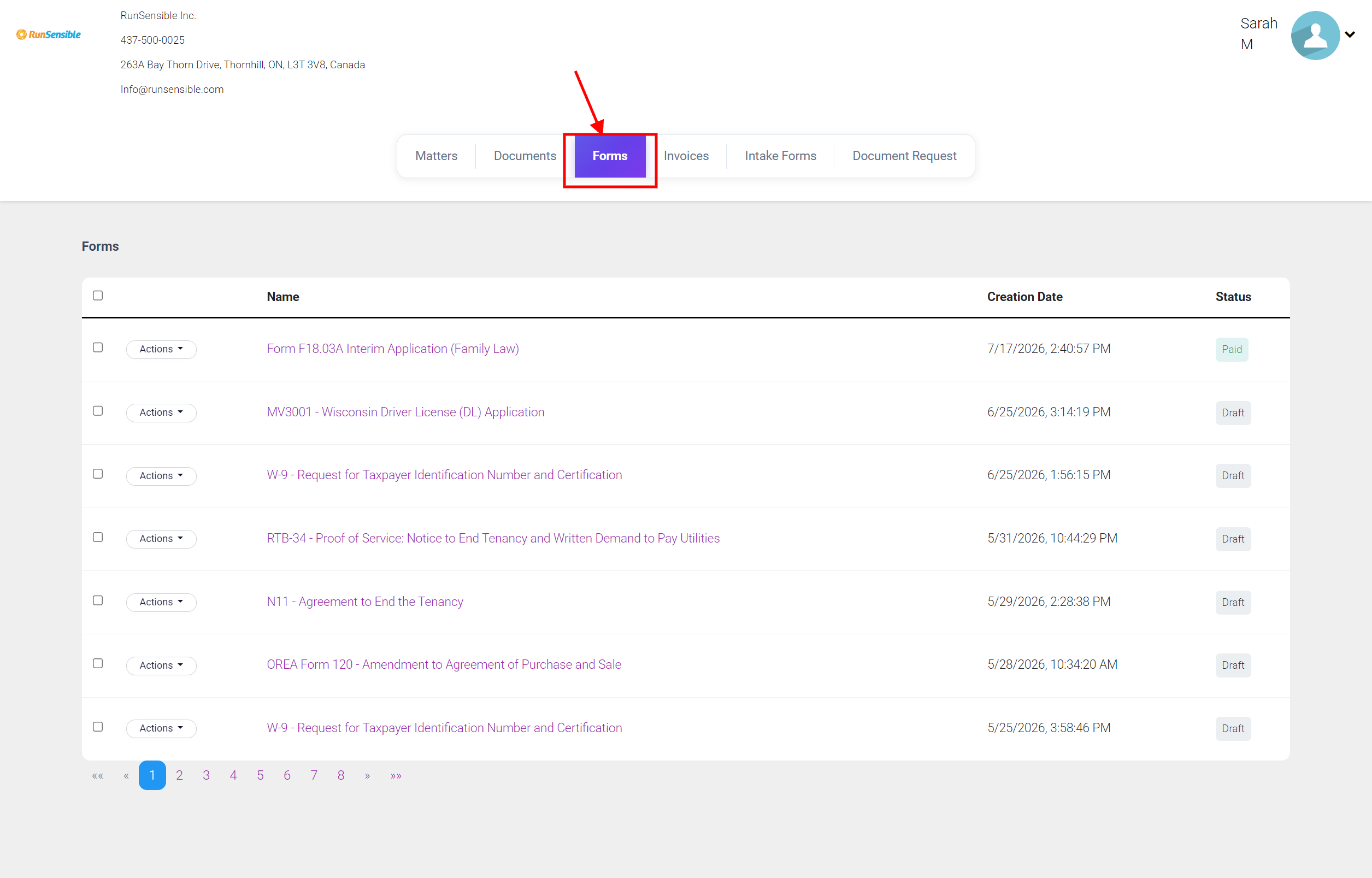
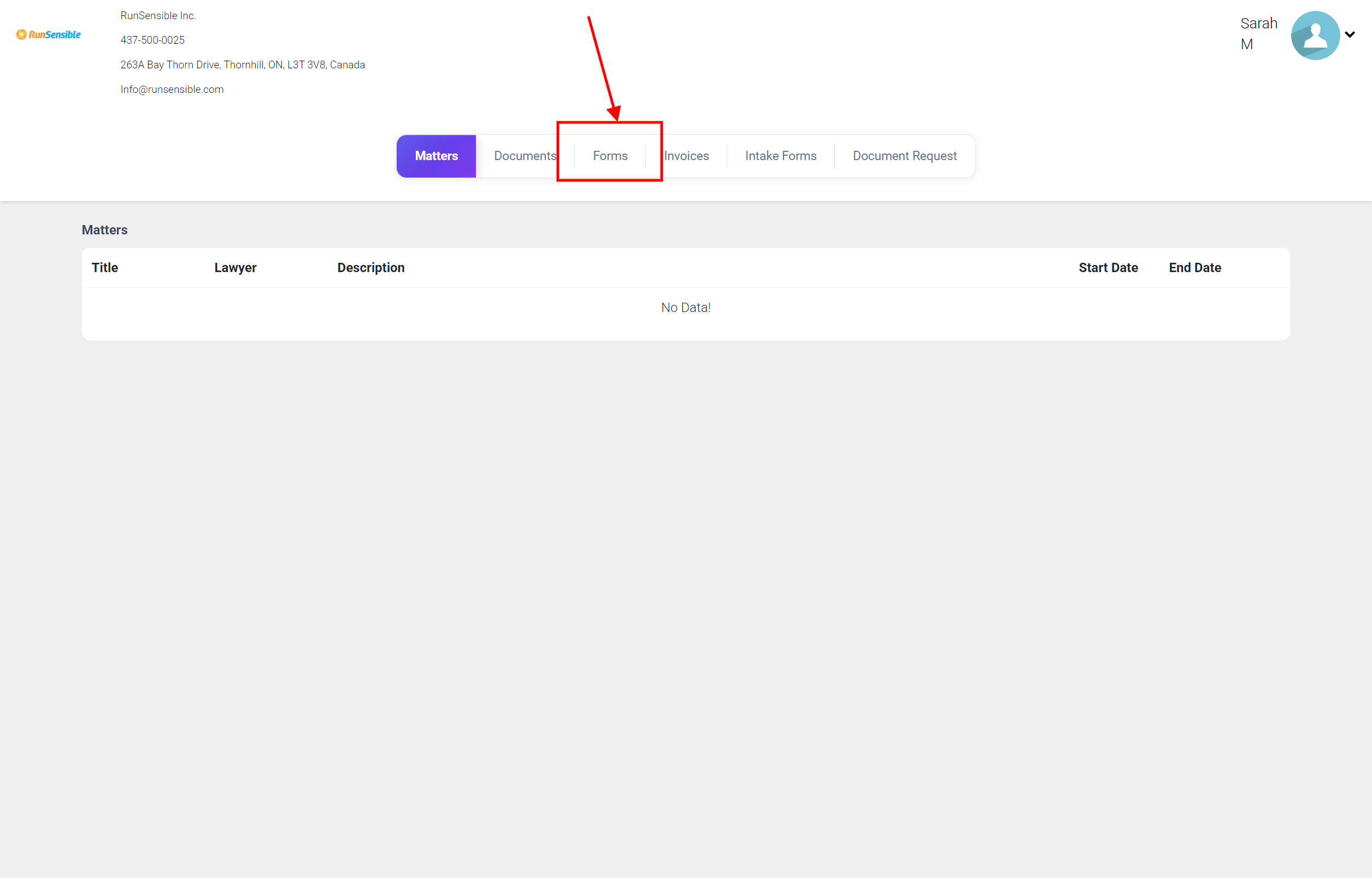
Step 1: Open the Forms Tab
After signing in, click the Forms tab to view all of your purchased forms.
Step 2: Edit Your Form
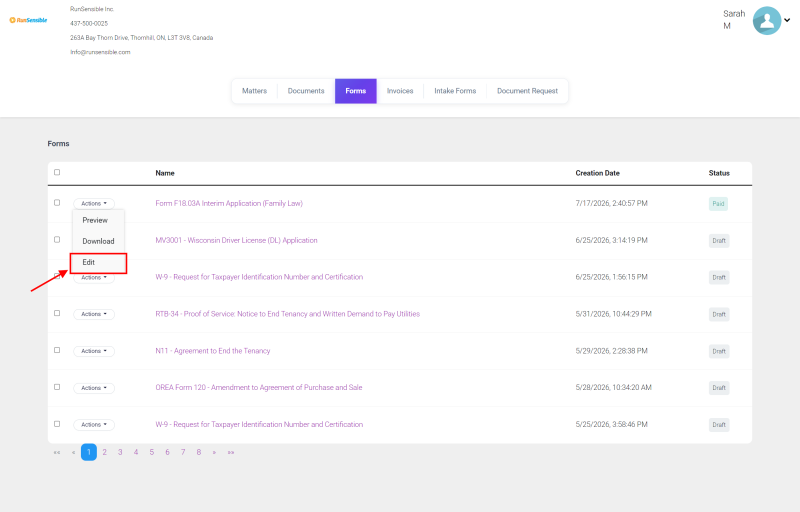
Locate the form you want to update. Click the Actions button next to the form, then select Edit. The form will reopen, allowing you to make any necessary changes.
Step 3: Update the Form
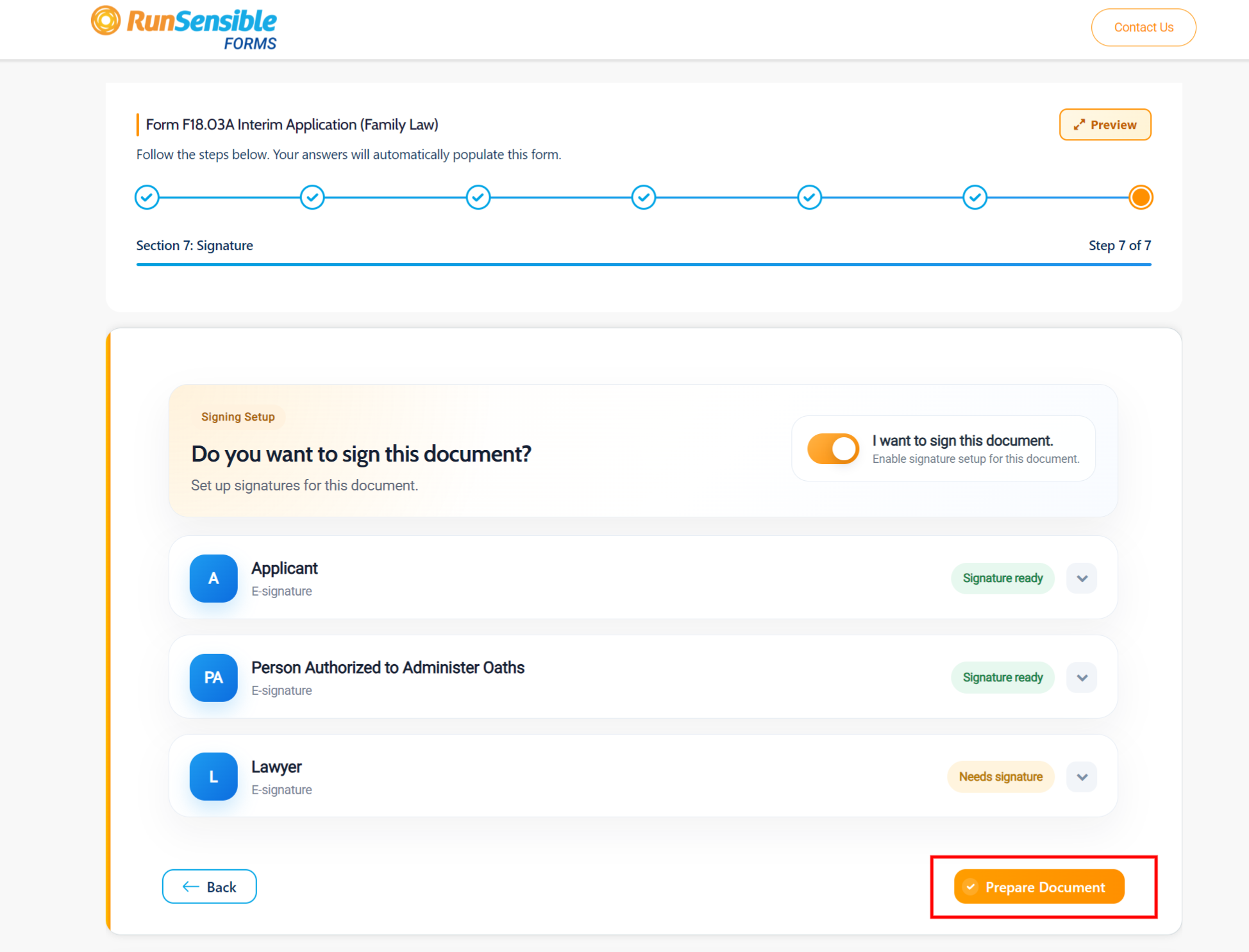
Edit the information as needed. When you have finished making your changes, click Prepare Document to generate a new version of your document.
Step 4: Return to the Portal
Once the updated document has been generated, you will automatically be redirected back to your RunSensible Portal. Click the Forms tab again to view the newly generated version of your form.
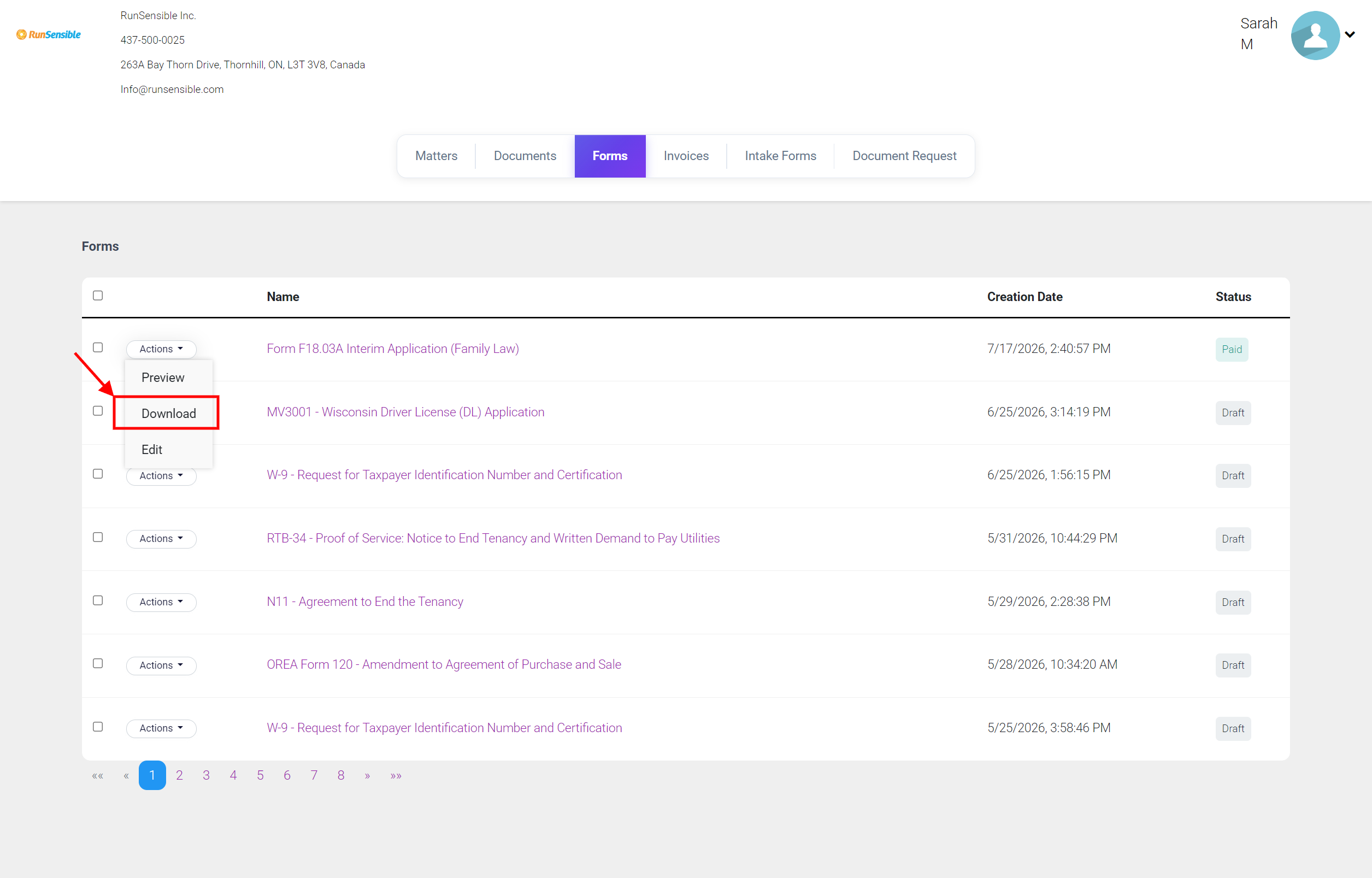
Step 5: Download the Updated Document
Locate your updated form, then click the Actions button next to it and select Download to save the revised document to your computer.