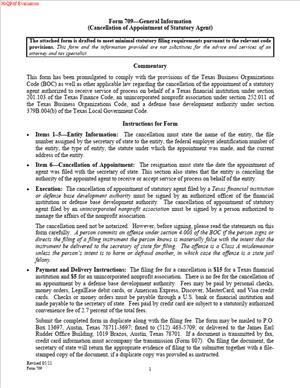
Form 709—General Information (Cancellation of Appointment of Statutory Agent)
Fill out nowJurisdiction: Country: United States | Province or State: Texas
What is a Form 709 – Cancellation of Appointment of Statutory Agent?
Form 709 is a Texas Secretary of State filing that cancels the current statutory agent for your business on the state’s public record. In Texas, the law uses the term “registered agent.” The form title uses “statutory agent,” but you should read it as “registered agent.” Both terms refer to the same role: the individual or company your business designates to receive legal papers and official state notices on your behalf.
When you file this form, you instruct the Texas Secretary of State to end the appointment of your current registered agent. That change becomes part of your entity’s official record. If your business remains active in Texas, you will also need to have a new registered agent in place. Texas requires every filing entity and every foreign entity registered to do business in Texas to maintain a registered agent and a registered office at all times. This form clears the old agent from the record. It does not suspend that requirement.
Who typically uses this form?
Owners, managers, officers, and compliance staff of Texas entities use it. Common filers include LLC managers or members, corporate officers, general partners, trustees, and authorized attorneys-in-fact. Foreign entities registered in Texas also use it to end their Texas agent appointment in connection with a merger, conversion, or withdrawal from Texas.
Why would you need this form?
You need it when the relationship with your current agent has ended, and you want to remove that agent from your record. That might occur because you are switching to a new service provider, because the agent resigned and you are formalizing the change, or because your entity is winding up, merging out, converting, or withdrawing from Texas. The form ensures state records match your real-world situation and that legal notices do not go to an agent you no longer authorize.
Typical usage scenarios include a small Texas LLC that moves from an individual agent to a professional service, a corporation that merges into another entity and needs to close out the legacy agent record, a nonprofit that ceases operations and prepares to terminate or withdraw, or a foreign company that stops doing business in Texas and cancels its agent appointment as part of its exit filings. In each case, you file the cancellation to end the current agent’s authority on the state’s records. If you continue to operate in Texas, you should appoint a new agent at the same time, so there is no gap in coverage.
When Would You Use a Form 709 – Cancellation of Appointment of Statutory Agent?
You use this form when you intend to remove your current registered agent from your Texas record. You do so either because you are replacing that agent immediately or because your entity will no longer need a Texas-registered agent after completion of related filings.
If you are staying active in Texas, you use the cancellation in tandem with the appointment of a new agent. For example, your LLC hired a new registered agent service. You file the cancellation for the outgoing agent and appoint the new one the same day. You avoid service gaps and keep your entity in good standing.
If you are winding down a domestic entity, you use the cancellation when you are closing out your public filings. As part of your termination work, you end the agent’s appointment so no more official mail goes to an agent for an entity that will no longer exist.
If your company merged into another entity or converted to a different entity type and will not continue as the same entity in Texas, you use the cancellation to remove the agent of the disappearing entity. This step aligns the public record with the merger or conversion.
If you are a foreign entity registered in Texas that is withdrawing, you use the cancellation in connection with your withdrawal filing. That ends the agent appointment for Texas service of process going forward.
Typical users include business owners managing compliance, in-house legal teams, paralegals, outside counsel, and operations managers. Landlords and tenants generally do not use this form. It is a business-entity filing, not a consumer or real property form. The person who signs must have authority to bind the entity.
One more situation is worth noting. Your current agent might resign. An agent’s resignation starts a countdown. You still need to keep a registered agent on file. You can use the cancellation and new appointment together to take control of the timing and ensure a smooth transition before the resignation takes effect.
Legal Characteristics of the Form 709 – Cancellation of Appointment of Statutory Agent
This filing is legally binding once accepted by the Texas Secretary of State. It amends your entity’s public record by ending the current registered agent’s appointment. The form has legal effect because state law requires a registered agent and registered office and provides a formal process to appoint, change, or end an agent. The Secretary of State serves as the filing office for those records.
What ensures enforceability?
Several factors do. First, the person signing must have authority to act for the entity. That authority could be an officer of a corporation, a manager or authorized member of a manager-managed or member-managed LLC, a general partner of a limited partnership, a trustee of a business trust, or an authorized attorney-in-fact. Second, the filing must correctly identify the entity and the agent being canceled so the record change is clear. Third, the filing must meet form requirements and include the required fee. Fourth, the Secretary of State must accept the instrument for filing. Acceptance places the change on the public record.
The form itself does not release you from the duty to maintain a registered agent if your entity remains active in Texas. It only ends the current agent’s appointment. If you operate without an agent, you risk serious consequences. You may miss legal notices or service of process. A court may allow alternate service. You may lose good standing. You could face administrative action if the Secretary of State determines you have failed to maintain a registered agent or registered office. In disputes, failure to maintain an agent can lead to default judgments if you do not receive notice. You avoid these risks by appointing a new agent at the same time you cancel the old one.
The cancellation does not need the outgoing agent’s consent. It is the entity’s filing. It does not affect any separate resignation the agent may have filed. If the agent has resigned and you do not appoint a new agent, you will still be out of compliance once the resignation becomes effective. The cancellation also does not retroactively undo service accepted by the agent before the cancellation took effect. Service delivered before cancellation remains valid if the agent was of record at that time.
Finally, you cannot use the cancellation to backdate an end to the agent’s appointment. A filing has an effective date on filing or on a delayed date if the form allows it. You choose the effective date within the limits set by the form. You cannot set an effective date that predates filing acceptance.
How to Fill Out a Form 709 – Cancellation of Appointment of Statutory Agent
Step 1: Confirm that cancellation is the right filing for your situation.
If you are replacing your agent and your entity will remain active in Texas, plan to appoint a new agent in the same transaction or immediately afterward. Texas expects you to have an agent on file at all times. If you are terminating, merging out, converting, or withdrawing, align the cancellation with those filings so the record reflects your end date.
Step 2: Gather your entity information.
You will need your exact legal name as it appears on the Secretary of State’s records. Use the exact punctuation, spacing, and entity suffix. You will also need your Texas file number. That number ensures the filing office updates the correct record, especially if your name is similar to another business. If you are a foreign entity, confirm your home jurisdiction and your Texas file number.
Step 3: Identify the current registered agent and registered office on record.
The form will ask for the name of the agent whose appointment you are canceling. It may also ask for the registered office street address tied to that appointment. Use the actual agent name and office address on file. Do not list a mailing address or a P.O. Box as the registered office. The registered office must be a physical street address in Texas where someone can receive service during normal business hours.
Step 4: Complete the cancellation statement.
You will state that the entity cancels the appointment of the named registered agent. If the form provides a checkbox or a clause for immediate effectiveness, select it if you want the change to take effect on filing. If the form allows a delayed effective date, enter a date within the allowed window if you need to coordinate timing. A delayed effective date can help you avoid a gap if your new agent’s acceptance takes effect on a future date. Do not pick a date earlier than filing. Avoid any period when no agent is on record if you remain active.
Step 5: Address the replacement agent if you will continue operating in Texas.
If the cancellation form provides space to appoint a new agent and registered office, complete that section. Enter the full name of your new agent. Use the exact legal name of the individual or company. Enter the new registered office street address. Confirm that the address is a physical location in Texas and that the agent will be available to receive service there during business hours. Include the agent’s consent as the form requires. Some forms require the new agent’s signature on the same page. Others allow you to include a statement that the agent has consented and keep the written consent in your records. Follow the form’s instructions precisely. If the cancellation form does not include appointment fields, file the appointment or change of agent at the same time using the appropriate instrument. Coordinate timing so the old agent ends, and the new agent begins without a gap.
Step 6: Provide any additional statements the form requests.
Some versions include a checkbox or clause to indicate the reason for cancellation, such as replacement, merger, conversion, termination, or withdrawal. If present, select the applicable reason. If your entity is terminating, merging, converting, or withdrawing, ensure you have prepared or filed the related instruments. The cancellation aligns the agent record with those actions and prevents future notices from going to an agent for a nonactive entity.
Step 7: Review the registered office details carefully.
The registered office must be a Texas street address, not a virtual office or P.O. Box. It must be a place where someone is present to receive service during normal business hours. If your agent is a company, use the agent’s designated office address for your entity. If your agent is an individual, ensure that the person is willing and able to accept service at the listed address every business day.
Step 8: Confirm authority and sign.
The form must be signed by a person with authority to bind the entity. For a corporation, an officer signs. For an LLC, a manager signs for a manager-managed LLC, or an authorized member signs for a member-managed LLC. For a limited partnership, a general partner signs. For a nonprofit, an officer or authorized director signs as permitted by the governing documents. For a foreign entity, an authorized officer or agent with proper authority signs. Use your printed name, title, and the date. Do not let an unauthorized person sign. If you are using an attorney-in-fact, include the power of attorney reference if the form requests it.
Step 9: Prepare any required attachments.
If the form requires the new agent’s written acceptance, include that page signed by the new agent. If you are filing the cancellation in connection with a merger, conversion, termination, or withdrawal, prepare those companion instruments for filing as well. If any document requires a corporate resolution or internal authorization, keep those records in your minute book. The Secretary of State generally does not need your internal resolutions, but you should maintain them.
Step 10: Provide contact information for return and questions.
The form usually includes a space for a return address or email and a contact phone number. Enter information for the person who can respond quickly to questions about the filing. Accurate contact details can help resolve any minor issues without delay.
Step 11: Pay the filing fee.
Include the required fee with your filing. You can typically pay by check or card if filing by mail or delivery, and by card if filing online. Use the correct fee amount. If you are submitting several related filings, fees may apply to each filing. If you are unsure, confirm amounts before you submit. An incorrect fee can delay acceptance.
Step 12: File with the Texas Secretary of State.
You can submit the form online, by mail, or by hand delivery. Online filing is often the fastest. If you mail, use a trackable method. If you deliver in person, you can request expedited handling if you need faster processing. Processing times vary. If you have a deadline, build in time for acceptance and any potential rejection curve.
Step 13: Monitor acceptance and update your records.
After you submit, watch for the acknowledgment from the Secretary of State. Once accepted, save the stamped copy to your records. Update your internal compliance calendars, litigation hold procedures, and any third-party systems that reference your registered agent. Notify the outgoing agent that the appointment has been canceled. Confirm with the new agent that your account is active and the registered office address is correct for your entity.
Step 14: Avoid common mistakes.
Do not leave your entity without a registered agent if you remain active in Texas. Do not enter a mailing address or P.O. Box as the registered office. Do not sign without proper authority. Do not misspell your entity name or agent name. Do not assume the new agent has consented; confirm acceptance before you file. Do not request a retroactive effective date. Precision avoids rejection and compliance risk.
Step 15: Keep proof of compliance.
Retain a complete copy of the filed form, any acceptance from the Secretary of State, the new agent’s consent, and any related filings. Store them with your formation documents and annual compliance records. If you are ever challenged on service of process or notice, these records help demonstrate your compliance.
Working example
You manage a Texas LLC that used an individual as registered agent. That individual moved and no longer wants the role. You select a professional registered agent service. You complete the cancellation to remove the individual. In the same packet, you appoint the new agent and list the service’s Texas office as the registered office. The new agent signs the acceptance, or you include a statement that they consent. You sign as manager, pay the fee, and file online. Acceptance arrives within a few days. Your public record shows the new agent, and you avoid any lapse.
Another example: Your Delaware corporation is registered in Texas as a foreign entity. It is merging into a parent company that will not maintain the Texas registration. You complete the filings to end the Texas registration and include the cancellation so the Texas registered agent appointment ends on the merger effective date. The public record updates, and the agent no longer receives mail for a nonactive entity.
If you follow the steps above, you will complete the Form 709 accurately and maintain compliance. Aim for a clean handoff from the old agent to the new one or a clean shutdown if your entity is ending or withdrawing. The key is simple: keep the record accurate, avoid any gap, and sign with proper authority.
Legal Terms You Might Encounter
- A statutory agent, also called a registered agent, is the person or company you appoint to receive legal papers for your business. Form 709 cancels that appointment. When you file it, you’re telling the state that the named agent no longer represents your entity for service of process or official mail.
- Service of process refers to the delivery of lawsuits, subpoenas, and other legal notices. Your statutory agent is the official point of contact for those documents. By canceling the agent’s appointment, you cut off that channel and should make sure you have a new, valid agent in place through a separate filing so you do not miss time‑sensitive papers.
- A registered office is the physical address on record where your statutory agent accepts documents during normal business hours. It is not the same as your principal office or mailing address. Form 709 affects the agent appointment, and by extension, the registered office connected to that agent. If the registered office is changing, that is usually handled on a different form that updates the agent and address details together.
- The entity’s legal name is the exact name on file with the state, including punctuation, spacing, and designators like “LLC,” “Inc.,” or “LP.” Form 709 must list the precise legal name so the filing office can match your record. Do not use a trade name or assumed name in place of the legal name here.
- A state file number is the unique identifier the state assigned to your entity when you formed or registered. Including it helps the filing office locate your record quickly and prevents delays. If the form has a field for this number, use the one printed on your formation or registration documents.
- An authorized signer is the individual who has legal authority to sign Form 709 for your entity. This could be a manager of an LLC, an officer of a corporation, a partner of a partnership, or another duly authorized person. The signature certifies that the information is accurate and that you intend to cancel the appointment of the agent named in the form.
- Effective date is the date when the cancellation becomes active. Some forms allow you to make the cancellation effective when filed or on a specific future date. If you select a later date, the existing agent stays in place until that date. This gives you time to appoint a new agent without a gap.
- Cancellation versus resignation describes who initiates the change. Cancellation (Form 709) is filed by the entity to end the agent’s appointment. A resignation is filed by the agent to step down. Both result in the agent’s authority ending, but the triggers and notice rules differ. Use the correct filing so it tracks to the right party.
- Domestic versus a foreign entity indicates where your business was formed. A domestic entity was formed in Texas. A foreign entity was formed in another state and registered to do business in Texas. Form 709 can apply to either, but some follow‑up steps may differ based on your entity type and home jurisdiction.
- A successor agent is the new registered or statutory agent you appoint to replace the one you canceled. Appointment of the successor is not done on Form 709. You use a separate change‑of‑agent filing for that step. The safest practice is to appoint the successor effective at the same time or before the cancellation takes effect.
FAQs
Do you need to appoint a new agent before you file Form 709?
Yes, you should line up a new agent before you cancel the current one. You handle the new appointment on a separate filing. Aim to have both filings take effect at the same time. That prevents any gap where you have no agent to receive legal notices.
Do you have to notify your current agent before filing Form 709?
It’s good practice to notify the agent you’re canceling. Some engagement agreements require notice. While the filing office processes your cancellation, telling the agent helps them stop accepting documents for your entity and return mail appropriately.
Do you change the registered office on Form 709, or is that a different filing?
Form 709 deals with canceling an agent’s appointment. If the registered office changes with the new agent, you update that address on the separate change‑of‑agent filing. Keep the address consistent with the agent’s records so service of process reaches you.
Do you risk penalties if you cancel without appointing a replacement?
You risk missing lawsuits and official notices if you leave the agent slot empty. That can lead to default judgments or loss of good standing. Always appoint a new agent promptly to maintain continuous coverage for service of process and state correspondence.
Do you need a notary for Form 709?
Most business filings only require a dated signature from an authorized person and do not require notarization. Check the signature block on the form. If it includes a notary section, follow those instructions. If not, a standard signature is usually sufficient.
Do you file Form 709 for an agent name correction?
No. Form 709 cancels an appointment. If the agent’s name or address has minor errors, use the appropriate change or correction filing instead. Reserve Form 709 for the situation where the business relationship with the agent is ending.
Do you get confirmation after filing?
You should receive an acknowledgment once the filing office processes the form. Keep that confirmation with your records. It shows the effective date of the cancellation, which you may need if disputes arise or if you’re synchronizing a successor agent appointment.
Do you need to file Form 709 if the agent resigned?
No. If the agent files a resignation, the filing office will record that change. Your job is to appoint a new agent as soon as possible on the proper change‑of‑agent form. If you also want to cancel or clarify the prior appointment on your side, coordinate the timing so your records match.
Checklist: Before, During, and After the Form 709 – Cancellation of Appointment of Statutory Agent
Before you sign
- Confirm the business decision. Ensure internal approval to cancel the agent (board, manager, or partner authorization, as required by your governance documents).
- Gather your entity details. Legal name exactly as on record, state file number, entity type.
- Identify the agent to be canceled. Full legal name of the agent and the registered office on record.
- Line up the successor agent. Obtain the new agent’s consent and details for the separate appointment filing.
- Pick your timing. Decide whether the cancellation should be effective on filing or a future date that aligns with the successor appointment.
- Check your operating deadlines. Avoid filing during active litigation or a major transaction unless you have a successor ready.
While you complete and sign
- Complete every required field. Do not leave the agent name or entity name incomplete or abbreviated.
- Verify the registered office information. Ensure it matches the agent record you are canceling.
- Choose the effective date option. If the form offers a delayed effective date, enter the exact date.
- Sign with proper capacity. Use your title (Manager, President, General Partner, or other role). If a representative signs, confirm written authority.
- Date the form. Use a current date that aligns with your filing method and planned effective date.
- Review for consistency. The names, addresses, and file number should match your other filings, especially the successor agent appointment form.
After you sign and file
- Submit the form to the filing office. Use the accepted submission method and include the correct fee.
- Save proof of submission. Keep copies of the form, payment receipt, and confirmation or acknowledgment.
- File the successor agent appointment. If not already submitted, file it immediately and coordinate effective dates.
- Update internal records. Minutes, resolutions, compliance calendars, and contact sheets should reflect the new agent.
- Notify stakeholders. Tell your former agent, new agent, key staff, and outside advisors about the change.
- Monitor status. Confirm that the cancellation and the new appointment both show in the public record before you rely on the change.
- Archive the old agent agreement. Follow any termination clauses and retain the contract and notices for your compliance files.
Common Mistakes to Avoid Form 709 – Cancellation of Appointment of Statutory Agent
Not appointing a new agent at the same time
- Consequence: You may have a gap with no valid recipient for lawsuits or state notices. That can lead to missed deadlines and default judgments. Don’t forget to file the successor appointment immediately.
Using the wrong business name or file number
- Consequence: The filing office may reject your form or apply it to the wrong record. Cross‑check the exact legal name and file number before you sign.
Choosing an effective date that creates a gap
- Consequence: If you delay cancellation but file the successor appointment too late—or vice versa—you may end up uncovered. Align effective dates so one agent is continuously in place.
Listing a mailing address where a physical address is required
- Consequence: Many forms require a physical street address for the registered office. A P.O. Box can trigger rejection or lead to undeliverable service of process. Use the correct physical address associated with the agent.
Missing or improper signature
- Consequence: The filing office can reject the submission if the signer lacks authority or leaves out a title. Sign with your correct role and date the form clearly.
Assuming the agent was canceled before confirmation arrives
- Consequence: Until the filing office accepts the form or the specified effective date arrives, the existing agent may still be on record. Wait for acknowledgment and verify the public record before making operational changes.
What to Do After Filling Out the Form 709 – Cancellation of Appointment of Statutory Agent
- File the form promptly. Submit it with the fee using your preferred method. Delays can create confusion about who should receive legal documents for your business.
- Coordinate the successor appointment. Prepare and file the separate change‑of‑agent form to appoint the new agent. Match the effective dates so there’s no gap. If you already filed the successor appointment, confirm both filings show in the public record.
- Confirm acceptance. Watch for acknowledgment from the filing office. Check that the cancellation effective date matches what you requested. Save a copy of the acknowledgment in your compliance files.
- Notify the former agent. Send a brief notice stating the cancellation has been filed and the effective date. Request final forwarding of any stray mail and confirm the return of any company materials.
- Inform your new agent. Share your entity’s correct legal name, file number, and primary contacts. Provide instructions for urgent notices and your preferred forwarding method for service of process.
- Update internal and external references. Revise corporate records, minutes, compliance calendars, and standing instructions. If you have standard contracts or forms that list the agent or registered office, update those documents.
- Set reminders. Create calendar reminders for annual compliance checks. Verify the registered agent and office remain accurate, especially after mergers, address changes, or leadership transitions.
- Address follow‑on filings. If canceling the agent coincides with a name change, conversion, merger, or withdrawal, ensure you file any related amendments. Keep your public record consistent across all filings.
- Store records securely. Keep the signed Form 709, proof of submission, payment receipt, and acknowledgment together. Maintain the successor agent appointment documents with them. Retain termination notices or correspondence with the former agent.
- Monitor mail and service. For the first few weeks after the change, monitor both the old and new addresses to catch misdirected items. If you receive court papers at an old address, act immediately and alert your new agent.
- Resolve mismatches quickly. If the public record still shows the old agent after a reasonable processing time, contact the filing office with your acknowledgment in hand. Correct discrepancies before they cause missed notices.
- Plan for future changes. If you anticipate a move or a change of agent later, build an internal checklist now. The same steps—authorize, file, confirm, notify, and update—will keep your record clean each time.
Disclaimer: This guide is provided for informational purposes only and is not intended as legal advice. You should consult a legal professional.