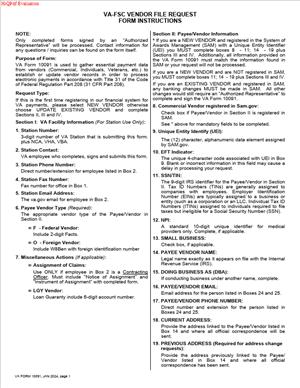
Form VA-10091 – VA-FSC Vendor File Request Form
Fill out nowJurisdiction: Country: United States | Province or State: Federal
Form VA-10091 – VA-FSC Vendor File Request Form is a federal document used by individuals and businesses that want to establish or update a vendor record with the Department of Veterans Affairs Financial Services Center (VA-FSC). If you plan to receive payment from the VA for goods or services, this form plays a central role in that process.
You use this form to provide identifying and banking information so the VA can create or modify your vendor file. That file allows the agency to process payments accurately and send funds to the correct account.
If you are about to complete this form, you are likely preparing to do business with the VA or update existing payment details. Understanding what information is required will help you avoid delays.
This document does not authorize a contract by itself. Instead, it supports payment processing and vendor record management within a federal system.
What is Form VA-10091 – VA-FSC Vendor File Request Form?
Clear definition
Form VA-10091 – VA-FSC Vendor File Request Form is a vendor information submission document used by the Department of Veterans Affairs Financial Services Center. It collects key data needed to establish, change, or verify a vendor record in the VA payment system.
The form typically asks for business identification details, tax identification numbers, contact information, and electronic funds transfer data. The VA-FSC uses this information to create or update the vendor file that links your identity to payment records.
In simple terms, this form tells the VA who you are, how to identify you in its system, and where to send your payment.
Who typically uses this form?
You may use this form if you are an individual contractor providing services to the VA. This includes consultants, medical professionals, trainers, or subject matter experts engaged on a contractual basis.
Small and large businesses also use this form when entering into agreements with the VA. If your company supplies products, performs construction, offers maintenance, or delivers professional services, you may need a vendor file on record.
Nonprofit organizations working with the VA may also complete this document. Any entity expecting payment from the VA through its financial services center may need to submit this form.
In some cases, an existing vendor submits the form again to update bank account information, change a legal name, or correct a tax identification number already on file.
Why might you need this form?
You may need this form because the VA cannot issue payment without a properly established vendor record. Even if you have a signed agreement, payment processing depends on accurate vendor data.
The form supports electronic funds transfer enrollment. Federal agencies commonly issue payments through direct deposit rather than paper checks. Your banking details must match your legal and tax information.
You might also need this document to prevent payment delays. If your vendor record contains outdated or inconsistent information, the VA may place payments on hold until the issue is resolved.
Submitting this form can also help align your vendor information with federal tax reporting requirements. The data you provide often connects to reporting obligations tied to your tax identification number.
Typical real-life scenarios
- You have just been awarded a contract to provide services to a VA medical facility. Before you can receive payment for your first invoice, you are asked to complete this form so your vendor record can be created in the VA system.
- Your company recently changed its legal name after a merger. Although your services to the VA continue without interruption, the payment system still lists the old name. You submit this form to update the vendor file and prevent mismatched payment records.
- You previously received VA payments by check. You now want funds deposited directly into your business bank account. You complete the form to provide electronic funds transfer details and reduce processing time.
- Your organization discovered that an incorrect tax identification number was entered in the vendor file. To correct the record and avoid reporting problems, you file an updated request using this document.
When would you use Form VA-10091 – VA-FSC Vendor File Request Form?
You would use Form VA-10091 – VA-FSC Vendor File Request Form when setting up a new vendor account with the Department of Veterans Affairs. This often happens at the start of a business relationship, after a contract is awarded or a purchase order is issued.
You may also use it when updating existing vendor information. Changes to your business address, contact person, bank account, or tax identification details can trigger the need for a revised submission.
Administrative staff, contract managers, financial officers, or sole proprietors commonly handle this filing. In larger organizations, a finance or accounting department may be responsible for submitting and tracking the document.
This form is typically used before payment is made. It supports internal processing rather than serving as a billing document. You would not use it to submit an invoice. Instead, it ensures that when an invoice is processed, the payment reaches the correct entity and account.
In some situations, you may be asked to complete the form again to confirm existing information. Periodic verification can occur as part of internal compliance or financial controls.
Legal characteristics of Form VA-10091 – VA-FSC Vendor File Request Form
This document functions as an administrative record request within a federal payment system. Its effectiveness depends on accurate, complete, and consistent information. The VA relies on the data you provide to create or update an official vendor profile.
For the form to be valid, the information generally must match your legal and tax records. The name associated with your tax identification number should align with federal tax documentation. Banking information must correspond to the account holder listed.
Common issues that lead to rejection or delay include incomplete fields, mismatched names and tax numbers, incorrect routing numbers, or missing signatures if required. Inconsistent formatting can also cause processing problems, especially if the form is not legible.
Because this is a federal form, it operates under federal administrative procedures rather than state-specific rules. While vendor requirements can vary across agencies, federal payment systems often require strict alignment between tax identification and payment data.
It is important to understand what this document does not do. It does not create a contract. It does not guarantee payment. It does not authorize services or confirm performance. It only supports the administrative setup or maintenance of your vendor record.
Is it legally binding?
Form VA-10091 – VA-FSC Vendor File Request Form is not a contract in itself. It does not establish rights to payment or define the scope of work. Instead, it records information that supports payment processing under a separate agreement.
However, the information you provide carries legal significance. When you sign and submit the form, you are generally affirming that the details are accurate. Providing incorrect or misleading information can lead to administrative consequences and potential legal issues, particularly if it affects tax reporting or payment handling.
In that sense, the form is binding as a statement of fact. It ties your identity, tax information, and bank account details to federal payment records. Accuracy matters because those records may be used for financial reporting and audit purposes.
How to fill out Form VA-10091 – VA-FSC Vendor File Request Form
Step 1 – Identify the purpose of your request
Begin by indicating whether you are creating a new vendor file or updating an existing one. The form usually includes a section that asks you to select or specify the type of request. Make sure your selection matches your actual situation, such as a new setup, name change, or banking update.
Step 2 – Provide your legal name and business information
Enter your full legal name exactly as it appears on your tax records. If you operate as a business entity, use the registered legal name rather than a trade name, unless the form specifically asks for both. Include your business address, phone number, and any additional identifying information requested.
Consistency is critical. The name you provide should match the name associated with your tax identification number.
Step 3 – Enter your tax identification details
Provide the appropriate tax identification number, such as a Social Security number or employer identification number, depending on your structure. Ensure that the number is accurate and corresponds to the legal name listed earlier in the form.
Double-check each digit before submission. Even a single error can prevent the vendor file from being properly established.
Step 4 – Complete electronic funds transfer information
If the form includes a section for direct deposit, enter your bank routing number and account number carefully. Confirm that the account is active and able to receive electronic payments.
The account holder name should match the vendor name provided. If there is a mismatch, payment processing may be delayed while the information is reviewed.
Step 5 – Provide contact information for payment questions
List a primary contact person who can respond to questions about invoices or payment details. Include a direct phone number and, if requested, an email address. Choose someone familiar with your billing or accounting processes.
This helps resolve issues quickly if the VA needs clarification.
Step 6 – Review all entries for accuracy
Before signing, read through each section of the form. Check for missing fields, typographical errors, and inconsistencies between sections. Confirm that numbers are correct and that names are spelled the same way throughout.
Careful review at this stage can prevent processing delays.
Step 7 – Sign and date the form
If the form requires a signature, sign and date it in the designated area. The signer is typically an authorized individual, such as the business owner or a designated financial officer.
By signing, you confirm that the information provided is complete and accurate to the best of your knowledge.
Step 8 – Submit the form as instructed
Follow the submission instructions provided with the document. This may involve sending the form through a specific internal channel, email process, or designated submission method. Ensure that all required pages and attachments are included so the vendor file request can be processed without interruption.
Legal terms you might encounter in Form VA-10091 – VA-FSC Vendor File Request Form
- Vendor: A vendor is any individual or business that provides goods or services to the Department of Veterans Affairs. On this form, you are identifying yourself or your organization as a payee in the VA’s financial system. The information you provide determines how and where payments are issued.
- Vendor File: The vendor file is the internal payment database maintained by the VA Financial Services Center. It stores your legal name, tax identification number, and banking details. This form is used to add, update, or verify information in that file.
- Taxpayer Identification Number (TIN): A TIN is your Social Security Number (SSN) if you are an individual, or your Employer Identification Number (EIN) if you are a business. The VA uses this number to report payments for tax purposes and to verify your identity. The number must match the legal name you provide.
- Electronic Funds Transfer (EFT): EFT is the process of sending payments directly to your bank account. In this document, you provide your routing number, account number, and account type. Accurate EFT information ensures you receive payments without delay.
- Remittance Address: This is the mailing address where payment notices or related correspondence are sent. It may be different from your physical business address. You must ensure this address is current and formatted correctly.
- Authorized Representative: This is the person signing the form on behalf of the vendor. The signer must have legal authority to act for the business or individual listed. Their signature confirms that the information is accurate and complete.
- Certification: The certification statement is the section where you affirm that the information provided is true and correct. By signing, you acknowledge responsibility for the accuracy of the data. False or incomplete information can delay payments or cause compliance issues.
- Change Request: A change request occurs when you are updating existing information in the VA vendor file. This could include a new bank account, updated address, or name change. You must clearly indicate what information is being modified.
- Legal Name: Your legal name is the exact name registered with the Internal Revenue Service under your TIN. It may differ from your trade name or “doing business as” name. The legal name must match tax records to prevent payment holds.
- Routing Number: A routing number is a nine-digit code that identifies your financial institution. It appears on the bottom of your checks. Entering the wrong routing number can result in rejected or misdirected payments.
FAQs
Do I need to complete Form VA-10091 – VA-FSC Vendor File Request Form if I already receive payments from the VA?
If your information has not changed, you typically do not need to submit this document again. However, if your legal name, tax identification number, address, or bank account details have changed, you must update the vendor file. The VA payment system relies on exact matches, so even small differences can interrupt payments.
What name should I enter if I use a trade name or DBA?
You must enter the legal name that matches your TIN on file with the IRS. If you also use a trade name, include it where the form allows, but do not replace your legal name with your DBA. Payments are processed based on the legal name and tax number combination.
What happens if my bank account information is entered incorrectly?
Incorrect routing or account numbers can cause payment rejection or deposit into the wrong account. If a payment fails, it may be returned and reprocessed, which delays your funds. Double-check every digit before signing, and confirm the account type is correctly selected.
Who is allowed to sign this document?
The signer must be the individual vendor or an authorized representative of the business. For a company, this is usually an officer, owner, or someone formally granted authority. The signature confirms that the information provided is accurate and that the signer has authority to make changes to the vendor file.
Do I need to attach any supporting documents?
You may need to attach documentation if requested, especially when changing your legal name or banking information. For example, a voided check may be used to verify account details. Review the submission instructions carefully to see if attachments are required for your situation.
How do I know if my submission was accepted?
After you submit this form, you should receive confirmation through the method described in the instructions. If you do not receive acknowledgment within a reasonable time, follow up using the contact information provided. Do not assume your information was updated until you receive confirmation or see payments processed correctly.
Can I use this form to change both my address and bank information at the same time?
Yes. This document allows you to update multiple data fields in a single submission. Make sure each section is completed fully and clearly marked as a change, so nothing is overlooked during processing.
Will updating my information affect past payments?
Updating your details will not retroactively change payments already issued. The updates apply to future transactions after the vendor file is revised. If you are correcting an error that affected a recent payment, you may need to address that separately with the payment office.
Checklist: Before, During, and After Form VA-10091 – VA-FSC Vendor File Request Form
Before
- Confirm whether you are creating a new vendor record or updating an existing one.
- Gather your legal name exactly as registered with the IRS.
- Locate your TIN (SSN or EIN) and verify it is correct.
- Obtain a recent check or bank document to confirm routing and account numbers.
- Review any prior VA payment records for consistency.
- Identify the person who has authority to sign the form.
- Check whether supporting documents are required for your update.
- Prepare accurate contact information for payment inquiries.
During
- Clearly indicate whether the request is new or a change.
- Enter your legal name exactly as it appears on tax records.
- Carefully input your TIN without transposing digits.
- Provide complete and accurate EFT information.
- Confirm the routing number has nine digits.
- Double-check the remittance address for spelling and formatting.
- Ensure all required fields are filled in before signing.
- Read the certification statement before signing and dating.
After
- Make a copy of the completed and signed form for your records.
- Retain copies of any supporting documents submitted.
- Submit the form using the method specified in the instructions.
- Note the date of submission for tracking purposes.
- Monitor your email or mail for confirmation of receipt.
- Verify your next payment is deposited correctly.
- Store the confirmation with your financial records.
- Update your internal accounting system with the new information.
Common mistakes to avoid with Form VA-10091 – VA-FSC Vendor File Request Form
- Mistake: Entering a trade name instead of the legal name because it is more familiar, which causes mismatches with IRS records and payment delays; do not forget that the name must match your TIN exactly.
- Mistake: Transposing digits in the routing or account number due to manual entry, leading to rejected or misdirected payments; do not forget to verify each number against a reliable bank document.
- Mistake: Leaving required fields blank because they seem unimportant, resulting in processing holds; do not forget to review the entire form before signing.
- Mistake: Allowing someone without proper authority to sign, which can invalidate the submission; do not forget to confirm the signer’s role and authorization.
- Mistake: Failing to clearly indicate that the submission is a change request, causing confusion and delays in updating records; do not forget to mark the correct request type.
- Mistake: Not keeping a copy of the completed form, which makes it difficult to resolve disputes or confirm what was submitted; do not forget to save a complete copy for your records.
- Mistake: Submitting outdated banking information after closing or changing accounts, which results in returned payments; do not forget to confirm the account is active before listing it.
- Mistake: Ignoring confirmation notices or failing to follow up when no response is received, leading to prolonged payment interruptions; do not forget to track your submission and verify acceptance.
What to do after filling out Form VA-10091 – VA-FSC Vendor File Request Form
Once you complete the form, shift your focus to documentation and follow-through. Payment setup forms affect how and when you get paid. Small oversights after submission can create avoidable delays.
Start by organizing your records. Keep both a digital and paper copy if possible. Store the signed form, attachments, and any confirmation notices together. This creates a clear paper trail if questions arise later.
- Step 1: Make a complete copy of the signed form and all attachments.
- Step 2: Confirm the correct submission method, such as email, fax, or secure portal, based on the current instructions.
- Step 3: Submit the form and save proof of transmission or delivery.
- Step 4: Record the submission date in your calendar or tracking system.
- Step 5: Watch for confirmation that your vendor file has been updated.
- Step 6: Follow up if you do not receive acknowledgment within a reasonable timeframe.
- Step 7: Review your next payment to confirm it was deposited into the correct account.
- Step 8: Notify your internal accounting or bookkeeping team of the update.
- Step 9: Update any internal vendor onboarding or compliance checklists to reflect the change.
- Step 10: Periodically verify your vendor details remain current, especially after business changes.
If your payment does not arrive as expected, act quickly. Compare the payment date with your submission date. Confirm whether the update was processed before the payment cycle closed. If necessary, contact the appropriate payment office with your confirmation details ready.
Keep your banking and contact information current at all times. If your business relocates, changes ownership, or switches financial institutions, update your vendor file promptly. Staying proactive helps you avoid payment interruptions and administrative backlogs.
Treat this process as part of your financial controls. Accurate vendor records protect your cash flow and ensure compliance with federal payment reporting requirements. A few extra minutes of review now can prevent weeks of delay later.
Disclaimer: This guide is provided for informational purposes only and is not intended as legal advice. You should consult a legal professional.